



ToffeeWeb has moved its comment system to Arena — giving Evertonians a faster, smoother and more modern way to have their say, whether you’re reading an article or following the Blues on matchday. Arena also works with evertonfc.com, so many of you may already be familiar with the system.
One account across ToffeeWeb
Signing up is quick and straightforward.
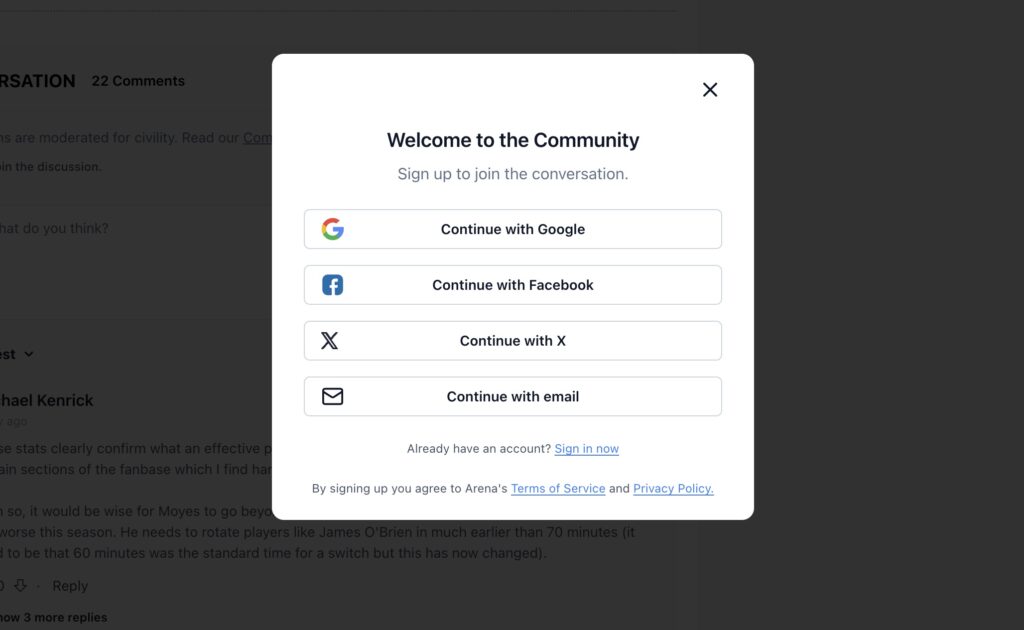
Create your account through Google, Facebook or X for one-tap access, or set up an account using your email address. Please use your first and last name. It should take around 30 seconds. Once you’re signed up, one account works across both ToffeeWeb Comments and Live Chat/Forum.
HOW TO CREATE YOUR NEW TOFFEEWEB ACCOUNT
Head to any ToffeeWeb article and scroll down to the comment section. Here you will see a Log-in symbol.
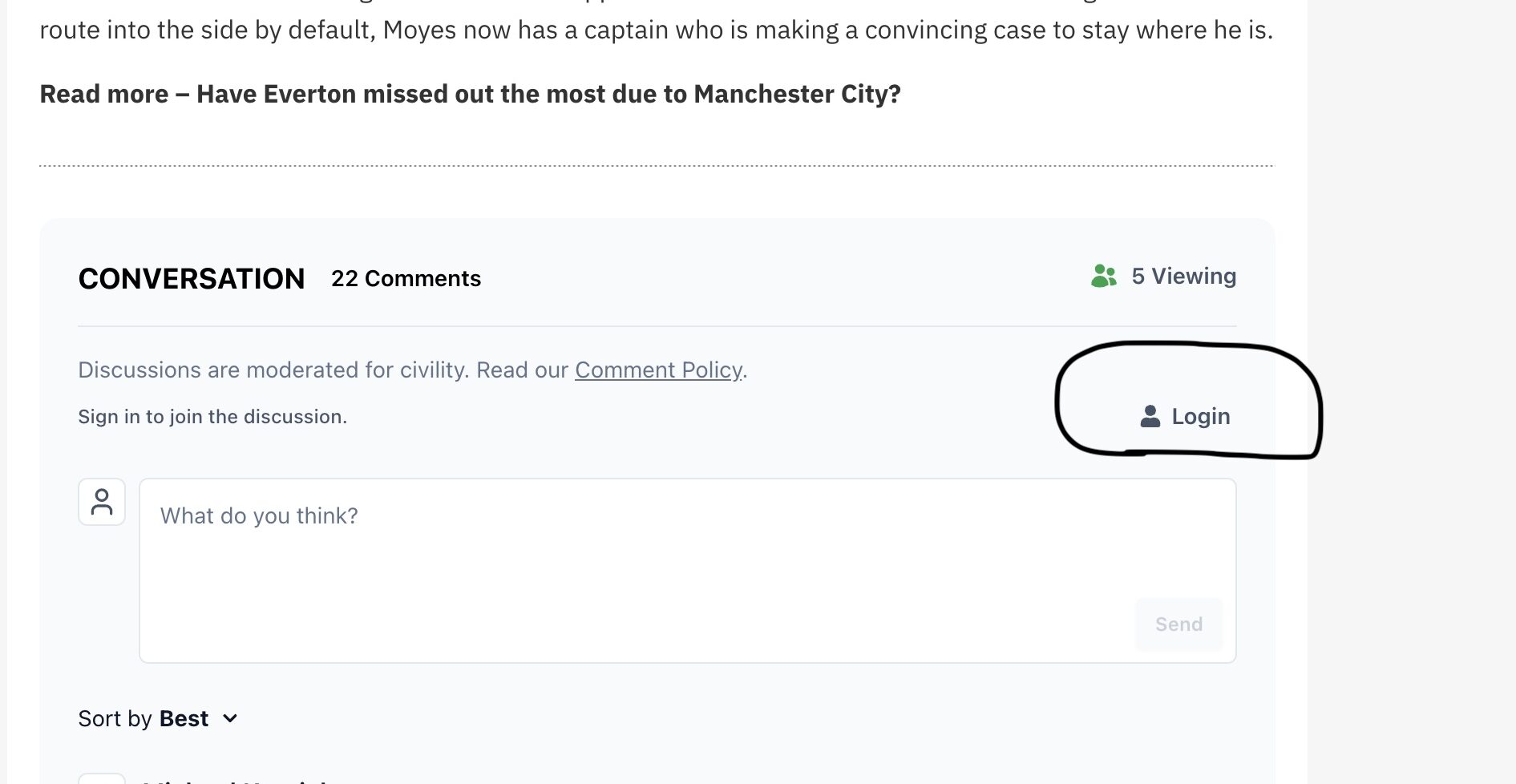
Once you have clicked the log-in option. You will be taken to a screen with options to create your new account. ToffeeWeb accounts can be created via Google, Facebook, X, or email.
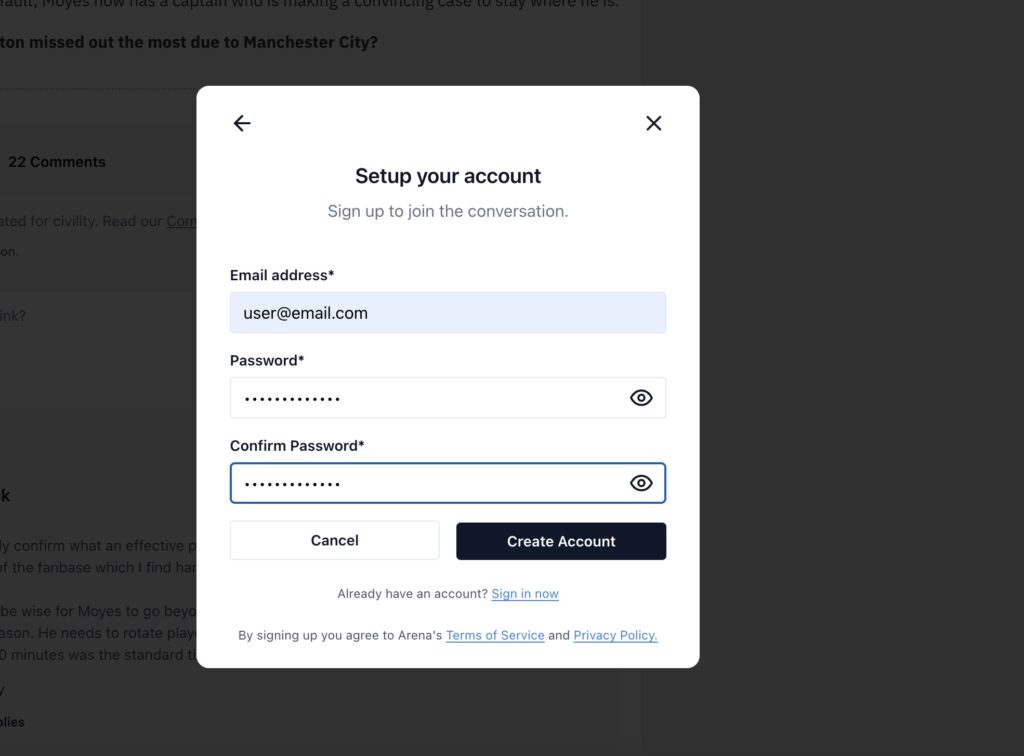
If selecting email, please insert your email and a password.
Remember, this is a new account, so you will now be setting a new password for ToffeeWeb access.
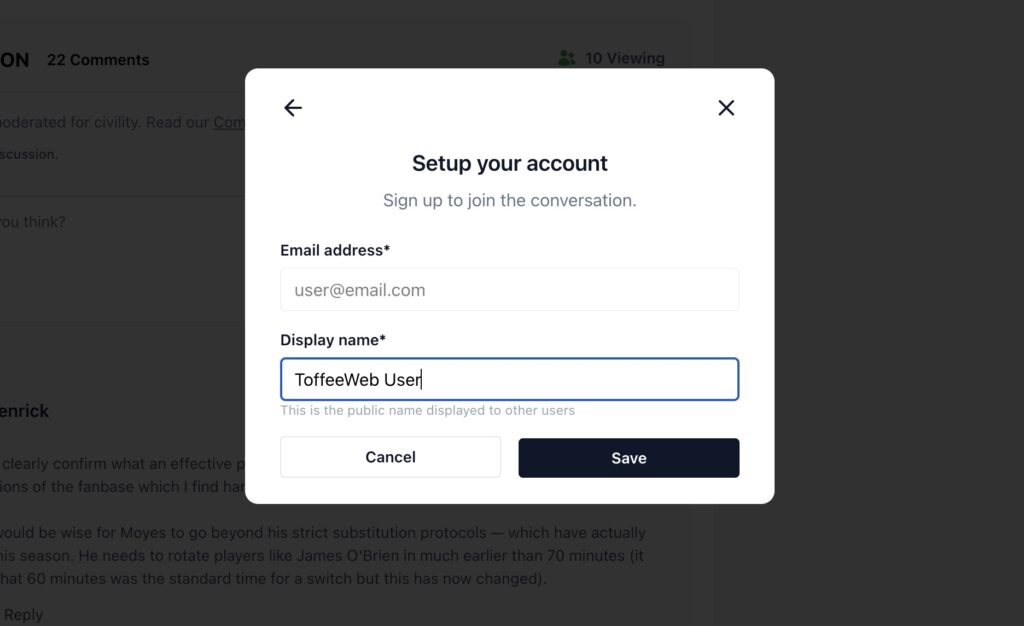
The final step is to confirm your Display Name for all comments and Live Chat. Please use your full name for this. Once this step has been completed, you will be free to join ToffeeWeb discussions.
If you have any issues, please use the Contact Us form and we’ll get back to you as soon as possible.
Read more – Scheduled maintenance and an update for the ToffeeWeb Community